


<h3 style="font-family: " microsoft="" yahei";="" box-sizing:="" border-box;="" text-size-adjust:="" none;="" margin:="" 0px;="" padding:="" 5px="" 0px="" 15px;="" -webkit-tap-highlight-color:="" rgba(0,="" 0,="" 0);="" overflow-wrap:="" break-word;="" word-break:="" normal;="" position:="" relative;="" color:="" rgb(66,="" 66,="" 66);="" font-size:="" 18px;="" display:="" -webkit-inline-box;="" border-bottom:="" 1px="" solid="" rgb(255,="" 255,="" 255);="" cursor:="" pointer;="" z-index:="" 16;="" line-height:="" 30px;="" text-wrap-mode:="" wrap;="" background-color:="" 255);"="">软件介绍
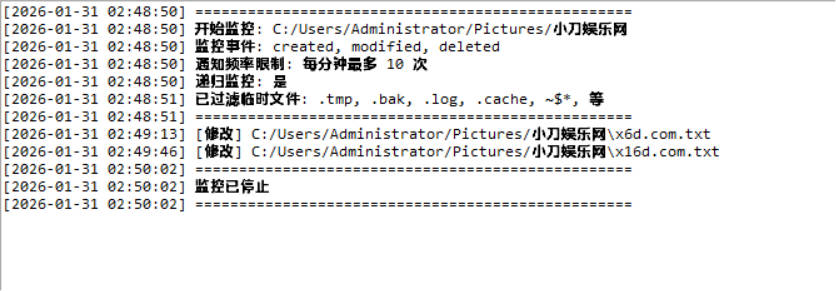
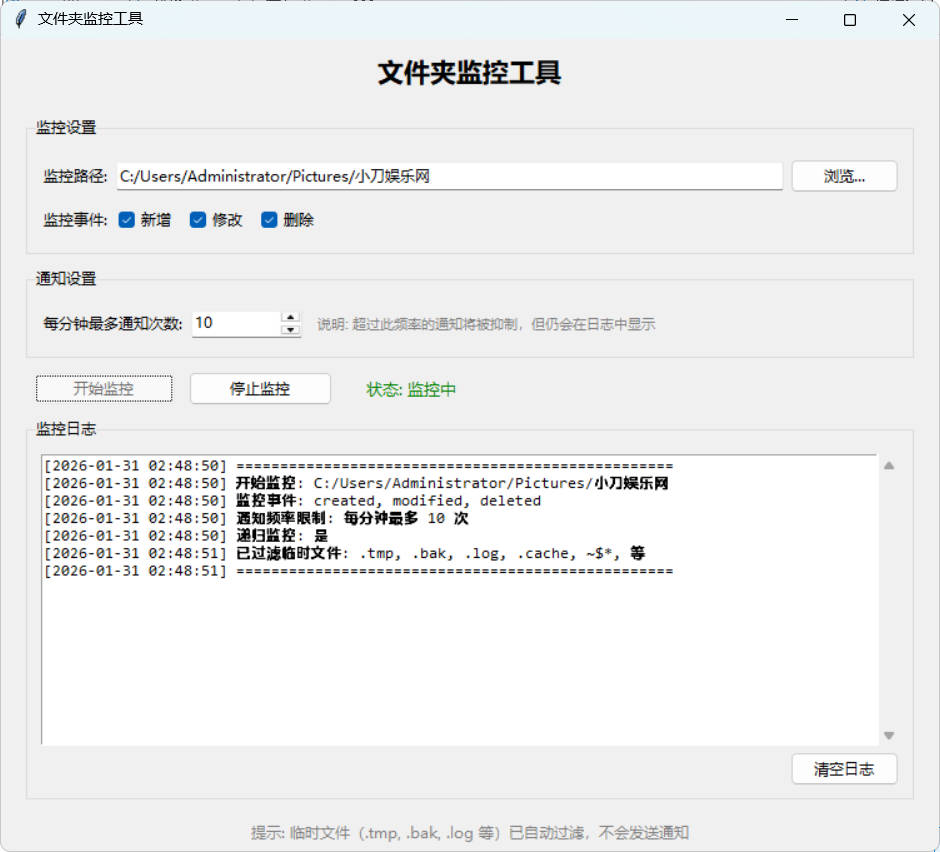
最近更新需要朋友上传文件到指定文件夹,我再收集起来,有时候会没注意到导致遗漏,用python写了个小工具。
<p>
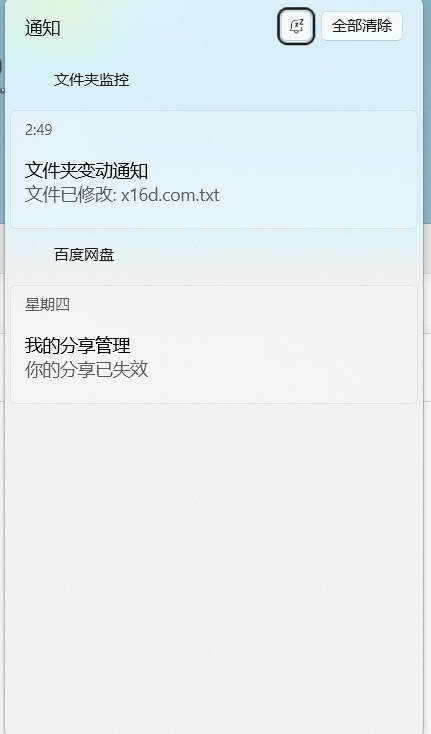
    可以指定监控目录,可以多开,用win10/11自带的系统通知做的,兼容性比较好,不弹通知的把系统通知关了再开一下。
</p>
<p>
    目前自用没发现bug,自行测试稳定性吧。
</p>
<h3 style="font-family: " microsoft="" yahei";="" box-sizing:="" border-box;="" text-size-adjust:="" none;="" margin:="" 0px;="" padding:="" 5px="" 0px="" 15px;="" -webkit-tap-highlight-color:="" rgba(0,="" 0,="" 0);="" overflow-wrap:="" break-word;="" word-break:="" normal;="" position:="" relative;="" color:="" rgb(66,="" 66,="" 66);="" font-size:="" 18px;="" display:="" -webkit-inline-box;="" border-bottom:="" 1px="" solid="" rgb(255,="" 255,="" 255);="" cursor:="" pointer;="" z-index:="" 16;="" line-height:="" 30px;="" text-wrap-mode:="" wrap;="" background-color:="" 255);"="">软件截图